Contests and Platforms
Online platforms
There are various websites (often called online judges) through which you may participate in contests or just solve problems for practice. The most popular such platform is Codeforces. Codeforces hosts weekly competitions which are suitable for all levels. It also hosts a large problemset which can be used for practice.
There are also other platforms like USACO, which host contests every 2 months or so. It also hosts a large problemset for the more skilled competitors. CSES is a website which doesn’t host contests but has a good problemset, suitable for learning topics.
Getting started with Codeforces
Here we will discuss the step by step process of creating a Codeforces account and solving your first problem.
Registration
Once you open the website ‘codeforces.com’ click the ‘Register’ button on the top right corner.

Fill in the required information and pick a good password. Select a handle which represents your identity, you will only be able to change it once every year. Note: you must register with your own email dont use a temporary email as you will need to verify the account.
Verification
After you register you will need to open your email to verify the account. After thats complete you may login successfully.
Watermelon?
Now we can start solving our first problem. At the topbar we can see a ‘Problemset’ button which will take us to the codeforces problem library. There we can view all problems which appeared in previous contests and attempt to solve them.

The last two columns in the problemset table correspond to the difficulty of the task and the number of people that solved the task respectively.
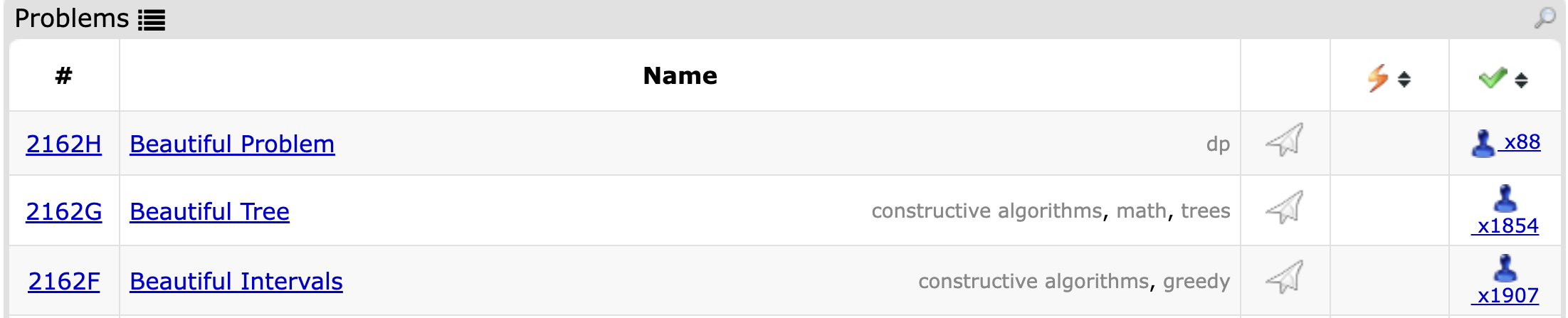
If you click on each one of those symbols you will be able to sort the tasks by that feature. Task difficulty is represented as a number which is a multiple of \(100\) in the range \([800, 3500]\).
After you sort the tasks from lowest to highest difficulty you will find the task “Watermelon”

Fun fact: it is also the most solved task.
Statement
This section describes the problem and the requirements. At the top we can see the problem title as well as the time and memory limits.
The task asks you to write a program which reads an integer w from input and check if that integer can be represented as the sum of two even positive integers a and b, then output “Yes” or “No”.
Input
This section explains how exactly the input will be given, in what order and what datatypes need to be used. Although it might not explictly mention that you need long long or double, this can be inferred from the range of possible values of the variable.
For example if the statement says \(-10^9 \le x \le 10^9\) we know that int is sufficient, but if it says \(-10^{18} \le x \le 10^{18}\) then we must use long long.
Output
This section describes how to output the result. So if the task wants you to use uppercase or lowercase, separate your outputs with spaces or newlines, or even how many digits to print if your result is a floating-point value.
Wrong idea
If we try some numbers manually we might notice a pattern, for example if the w was odd we know that its impossible for a and b to be even, because even + even = even.
So our first idea will be: If w is odd print “No” otherwise print “Yes”
Sadly, this idea is incorrect. The counter is w = 2, the smallest positive even integer is 2 we can’t write 2 as a sum of two positive even integers.
Correct approach
For any number larger than 2 we can simply let a = 2 and b = w - 2 and this will work for any even integer larger than 2, and we already showed that its impossible for odd values of w.
Coding the idea
Now that we have reached a correct solution, we must express it in code. First we must read the input, then do our logic, then print the output.
#include<bits/stdc++.h>
using namespace std;

int main () {
    int w;
    cin >> w;

    if (w == 2 || w % 2 == 1) cout << "No";
    else cout << "Yes";
}
Submitting the Solution
At the top of the page, below the topbar, we will see the following options:

If we click on “submit” it will take us to the following page:
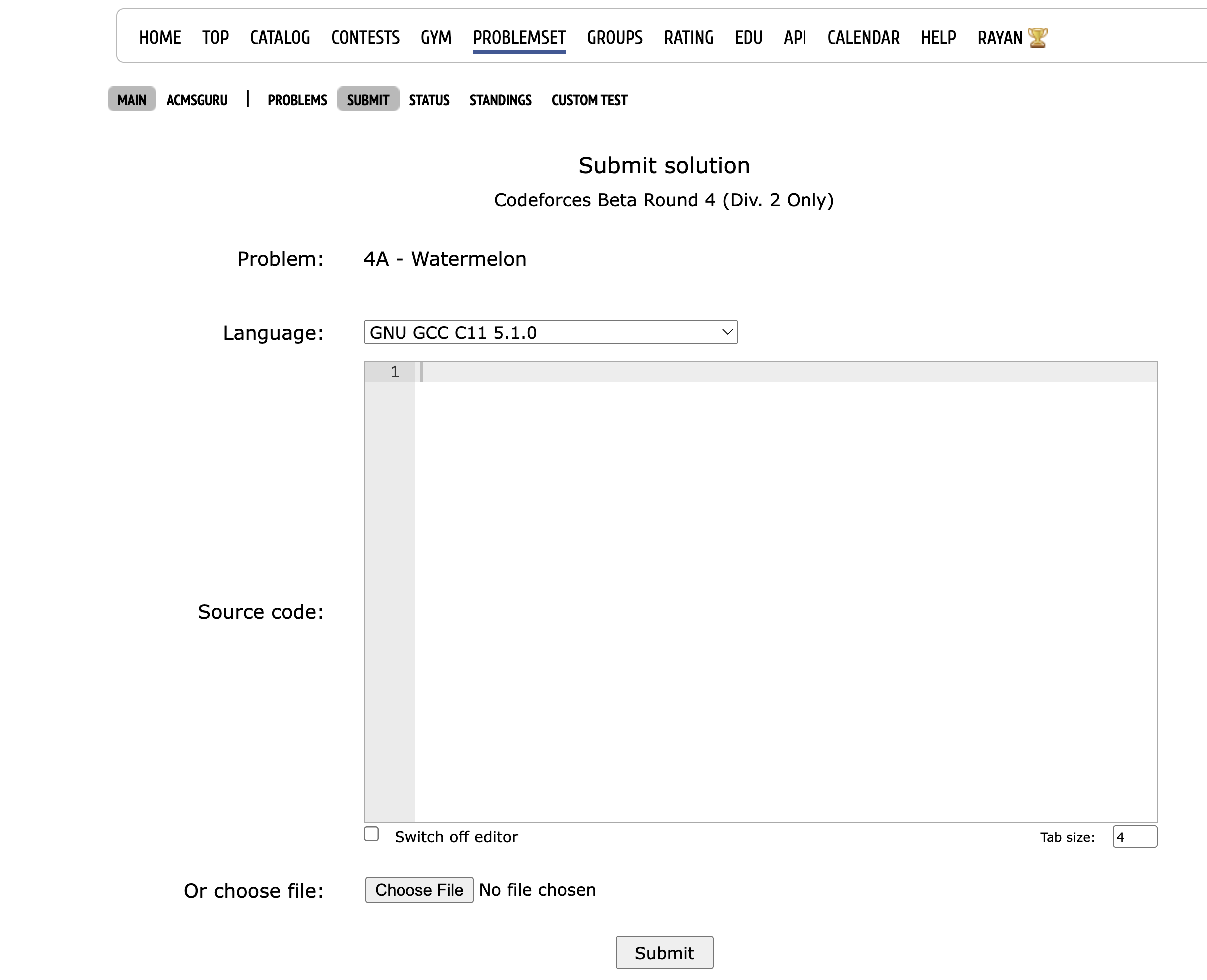
First thing to ensure is the language option, since we are writing in C++ we must change the language to a valid version of C++. Note: the default is always C which causes beginners to get compilation error on the first submission.
Now we will copy the code and paste it into the “Source code” section, and hit “Submit”.
We will then be redirected to the submissions page which will tell us the verdict of the submission.

The possible verdicts are:
- Accepted - meaning the solution passed all the tests.
- Wrong Answer - meaning your solution did not print the correct answer on some test.
- Time Limit Exceeded - meaning your solution took too long to print an output.
- Memory Limit Exceeded - meaning your solution used too much memory.
- Runtime Error - meaning an issue occurred during the execution of your program.
Usually, you will not be able to view the test where your code failed, the test might be too large or blocked by the contest organizer, so the challenge is to figure out the issue on your own.